How to Update ICICI KYC Online: ICICI account holders no longer need to visit their nearest bank branches to update their ‘Know Your Customer’ (KYC) details. The bank now offers an online facility for customers to update KYC details if they have changed their address, mobile number, or other information. If there is no modification in your KYC details, account holders are required to submit a self-declaration form through their email ID, ATMs, registered mobile number, or other digital channels.
In January last year, the RBI mandated that banks provide the facility of self-declaration for individual customers via different non-face-to-face channels such as registered email ID, registered mobile number, ATMs, digital channels, etc., eliminating the need to visit a bank branch.
How to Update ICICI KYC Details Online?
According to an RBI circular, if the address details are unchanged and the submitted KYC documents remain valid, you can submit a self-declaration to update your KYC. However, if you have changed your address and need to update it, you can provide the revised/updated addresses through any of the non-face-to-face channels such as registered email ID, registered mobile number, ATMs, digital channels (such as online banking/internet banking, mobile application), or letter. The bank will then verify the declared address within two months.
In special cases, such as if your KYC document’s validity has expired or the submitted KYC document is no longer valid, you need to physically visit the bank branch with the required documents.
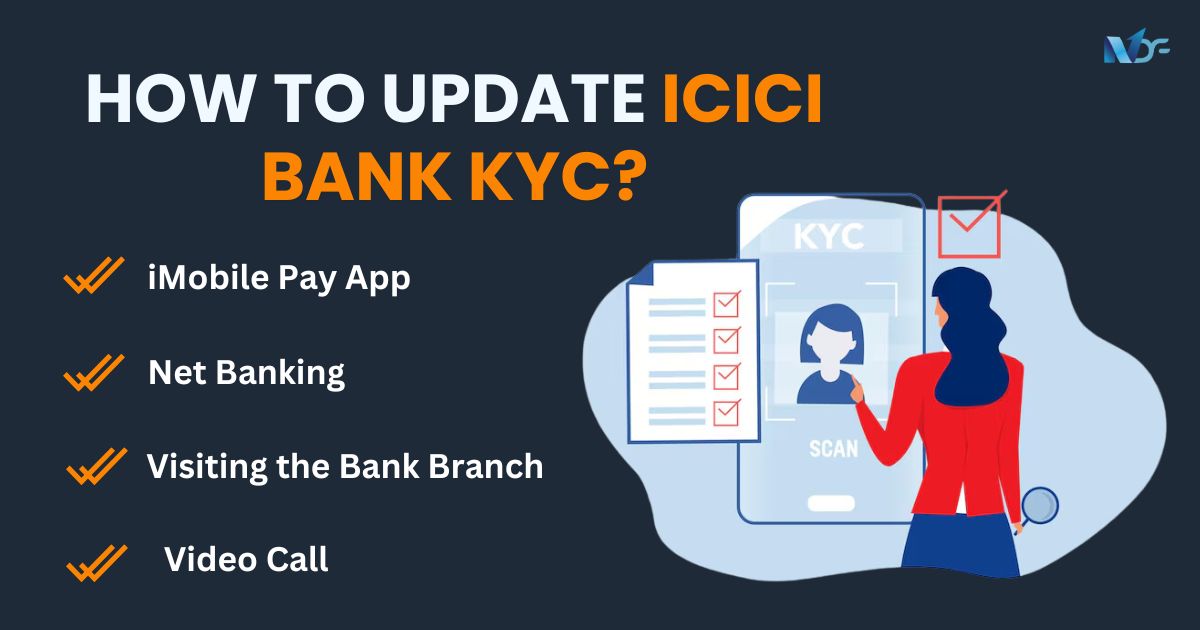
ICICI Bank customers can update their KYC details through the iMobile app, Internet banking, or by visiting the bank branch.
Also Read: ICICI Bank Business loan
What Happens If Your KYC Details Are Not Updated?
If KYC details are not updated, an individual may face transaction restrictions or even temporary suspension of their banking account. This means they won’t be able to conduct certain financial or non-financial transactions using their bank account. Before suspending the customer’s bank account, the bank will inform them of the impending action. Non-updating of KYC may also lead to account closure. The strict KYC procedure protects your bank account from identity theft, money laundering, terrorist financing, etc.
How to Update ICICI Bank KYC Online?
There are 2 ways to update your ICICI Bank KYC online:
- iMobile Pay App
- Internet banking
How to Update ICICI Bank KYC By iMobile Pay App?
- Sign in to the iMobile Pay application.
- Notification: If your KYC update is still due, you will receive a notification concerning the KYC update soon after you log in to the app. Click on the ‘Document Upload’ option.
- Account Number Displayed: Choose “authorization” and click ‘Proceed’.
- Personal Details: Your personal details will appear on the screen. Edit any details to be updated, upload your PAN Card, and click ‘Proceed’.
- FATCA Details: Check the auto-filled FATCA details.
- Authorization: Select the authorization and click ‘Proceed’.
- Profile Details: Enter the profile details, tick the KYC declaration, and click ‘Submit’.
- Review: To finish the process, review the details and click “Continue.”
The SR number and a success message that allows you to monitor the status of the KYC update will show up on the screen.
How to Update ICICI Bank KYC through Internet Banking?
- Sign in to the ICICI Bank net banking portal.
- Notification: After you log in, the KYC update notification will appear on the screen if your KYC update is pending. Tick the authorization and click on the ‘Update Through Document Upload’ option on the notification.
- Personal Details: Your personal details will appear on the screen. Edit any details to be updated and upload the PAN Card.
- Address Update: To update your address, select the box that says, ‘I want to update my address’ and enter the new address.
- Upload Documents: Upload the address proof document (even if there is no change in address) and photograph, tick the authorization, and click ‘Continue’.
- FATCA Details: Check the auto-filled FATCA details, click on authorization, and hit ‘Confirm’ button.
- Submit: Submit the profile details, check the KYC declaration, and hit ‘Confirm’.
- Confirmation: Confirm the details and click ‘Continue’ to finish the procedure.
A confirmation message will be displayed along with the SR number through which you can track the KYC update status.
Also Read: How to Check Loan Account Number Online?
How to Update ICICI Bank KYC?
There are two other methods to update the ICICI Bank KYC besides the online ones mentioned above:
- By visiting the Bank branch
- Via a video call
Update ICICI KYC by Visiting the Bank Branch
- Visit the Branch: Go to the ICICI Bank branch along with the required KYC documents.
- KYC Form: Get the KYC form from your bank and enter the required details.
- Submission: Once you fill out the application form, attach the required documents and submit it.
Upon successful submission of all the documents and the application form, the bank will verify the details. Following a successful verification process, the bank will validate the KYC prerequisites. You will get a confirmation message from ICICI Bank on your registered phone number.
Update ICICI KYC through a Video Call
Prerequisites
- PAN Card: Ensure you have your original physical PAN Card readily available.
- Eligibility:
1. Available for Individual customers who are 18 years or older.
2. Applicable only for Resident Indian individuals. - Blank Paper and Pen: Keep a blank white paper and a black or blue pen at hand for your live signature during the process.
- Good Lighting and Clear Background: Make sure you are in a well-lit area with a clear and uncluttered background.
- Stable Network Connection: A stable internet connection is essential for a smooth Video KYC process.
Video KYC
You can also update your KYC details through a video call. Log in to your ICICI bank net banking or iMobile Pay app and then click the ‘Video Call’ option on the KYC due notification. A bank representative will get on the video call with you. You need to furnish your original KYC documents on the call, and the officer will confirm your documents and signature online to finish the KYC process.
What are the Documents Required for KYC in ICICI Bank
The documents required for the ICICI Bank KYC verification process include:
- Identity Proof
- Address Proof
- Photograph
Also Read OneNDF Articles:
- How to Update SBI KYC Online
- How to Update Your Bob KYC Online?
- How to Check Canara Bank Mini Statement?
ICICI KYC Rules & Regulations
Some of the important rules to keep in mind regarding ICICI KYC update are follows:
- Customers are required to complete KYC within the due date, which includes Indians, NRIs and foreign nationals.
- Documents required may vary depending on the account type and transaction limits.
- Failure to update KYC can lead to account restrictions or freeze.
- ICICI bank is obliged to update KYC information periodically
Why Is It Important To Update KYC Information with ICICI Bank?
Some of the important reasons which makes it essential to update the KYC information with ICICI Bank:
- The strict KYC procedure protects your bank account from identity theft, money laundering, terrorist financing etc.
- This process enables the gathering of more information on the profile of the customer by the ICICI Bank, which helps to understand the profile and identify factors relating to risk.
- KYC updation allows full verification of the identity of the customer and the beneficial owners of the related businesses. It, therefore, enables one to identify whether the individuals and organizations are genuine or not.
- This can be through the activity of active account users and monitoring of transactions. Banks may be able to detect suspicious or unusual behavior.
Updating KYC on time at ICICI Bank will ensure you a safe and smooth banking experience. You can update your KYC with ICICI Bank online in a few minutes by using the iMobile Pay App or by simply logging into your net banking account. This will make you abet RBI norms thereby avoiding freezing of the account.
Why Choose OneNDF for Your KYC and Financial Needs?
OneNDF, a leading online loan marketplace in India, brings over a decade of experience in providing tailored financial solutions. For businesses seeking secured loans or needing to update their KYC details, OneNDF offers comprehensive support from application to fund disbursal. Here’s how OneNDF makes a difference:
- Expert Guidance: Navigating through loan application processes, comparing interest rates, and understanding LTV ratios.
- Personalized Solutions: Addressing individual borrower needs and creating tailored financial plans.
- Handling Margin Calls: Offering strategies to manage margin calls if the value of pledged securities depreciates.
- Customer Support: Available online and at the New Delhi head office for any queries or concerns.
By leveraging OneNDF’s extensive expertise and support, borrowers and account holders can secure their financial future with confidence and ease.
FAQs
Q.1 What is KYC, and why is it important?
KYC (Know Your Customer) is a process that banks and financial institutions use to verify the identity of their customers. This ensures that the information of account holder’s account is correct and current as to help in avoiding cases of identity theft, money laundering, and other types of financial frauds.
Q.2 How can I update my ICICI KYC online?
You can update your KYC details through ICICI iMobile Pay app, Internet banking or by submitting a self-declaration form through email or any other digital channels if there are no changes to your KYC details.
Q.3 What documents are required to update KYC in ICICI Bank?
Some of the main documents needed for this include proof of identity like PAN card; proof of address; and a recent photograph which should be up-to-date when being submitted online or at branch.
Q.4 Can I update my KYC details if I have changed my address?
Yes, you can provide the new address via non-face-to-face channels such as email, iMobile Pay app or internet banking in order to change your address. The bank will confirm this within two months.
Q.5 What happens if I don’t update my KYC?
Unsatisfactorily updating one’s own Know Your Customer may lead for example, limiting such person on transacting with his/her account for some time temporarily suspending it even close it down completely without proper notification from the bank.
Q.6 How do I know if my KYC update was successful?
Once you submit an updated version of your document through SR number confirmation message will be sent signs from its validity until today after that you will check out progress using this particular number.
Q.7 Is Video KYC available for updating my ICICI KYC details?
Yes, there is availability of Video KYC by ICICI Bank where you can complete your KYC process through video call with a bank officer provided that you produce the original KYC documents during the call.
Q.8 What should I do if I face issues while updating KYC online?
ICICI Bank customer care is available in case of any issues faced while updating your KYC online or visiting the nearest branch for support.
Q.9 Can NRIs update their KYC online?
As per this article, it only states that resident Indian individuals can update their KYC online and possibly NRIs have to follow another process so it would be better contacting them directly for precise guidelines.
Q.10 How often do I need to update my KYC?
Generally, one needs to update his or her Know Your Customer details when there is change on personal information like address or contact number or expiry of these documents therefore the bank will always notify whenever an update is required.
Q.11 What is ICICI Bank Customer Care Numbers?
ICICI Bank Customer Care numbers are 1800 1080 for general inquiries and support.