
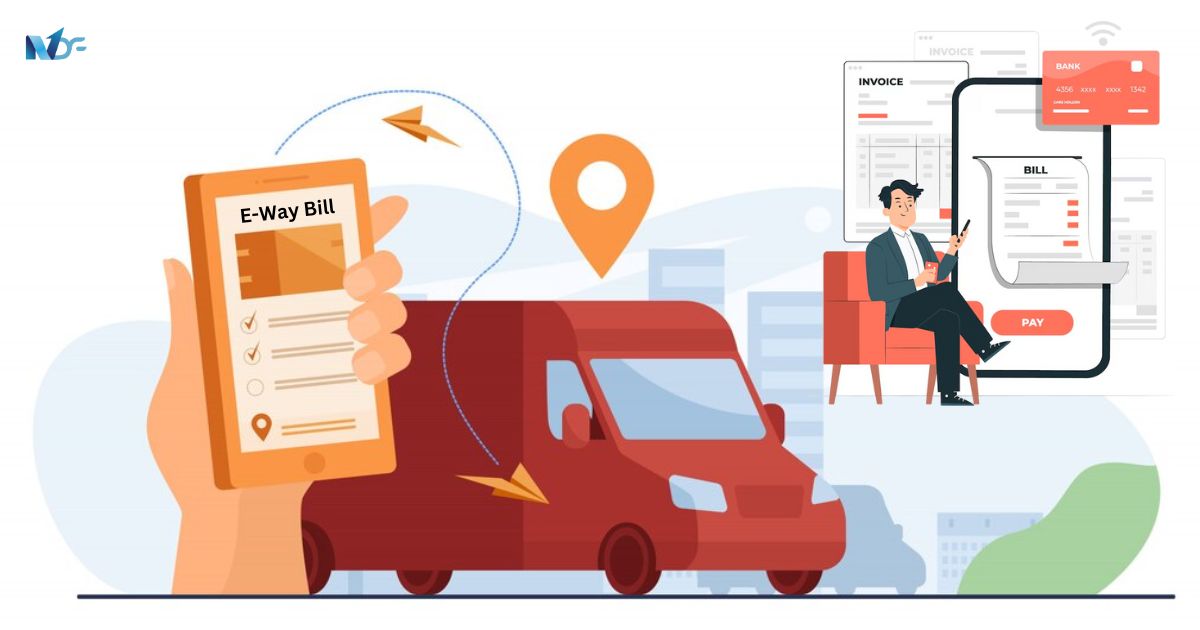
As per the National Informatics Centre (NIC), the e-Way Bill System is a document detailing the movement of goods that transporters must carry for any order valued over Rs 50,000. The NIC is responsible for developing, hosting, and managing the entire e-Way Bill System, which includes the creation of web-based IT applications and maintaining IT infrastructure.
Who Uses the E-Way Bill System?
GST-registered individuals and enrolled transporters generate the e-Way bill electronically when moving goods worth over Rs 50,000. This applies whether the movement is due to supply, reasons other than supply, or inward supply from an unregistered person. Transporters must carry an e-Way Bill in specified situations as mandated by GST rules.
In certain specified situations, transporters are mandated under the GST rule to carry an eWay Bill transporting moving goods from one place to another.
One essential requirement of this application is 24×7 accessibility. Quality infrastructure has been put in place to provide redundancy at multiple levels including firewalls, load balancers, switches, racks, virtual machines (web servers), database servers, and MPLS links (for connecting to GSTN servers). The e-way bill is based on the One Tax – One Market principle.
The common portal for the generation of e-way bill is https://ewaybillgst.gov.in
Alternatively, Eway bill can also be generated or canceled via SMS, Android App, and by site-to-site integration through API entering the correct GSTIN of parties. When an Eway bill is generated, a unique Eway Bill Number (EBN) is allocated and is available to the supplier, recipient, as well as transporter.
Importance of the E-Way Bill
The e-Way Bill System is critical for several reasons:
- Unified Documentation: It creates a single and unified e-Way Bill for inter and intra-state movement of goods across India.
- Paperless Transactions: The system enables paperless tracking and monitoring of goods, improving service delivery and reducing physical interaction with regulatory bodies.
- Real-Time Data: Provides quick access to data/services, enhancing the overall supply chain.
Why is the e-way bill required?
The Government may require the person in charge of a conveyance carrying any consignment of goods of value exceeding such amount as may be specified to carry with him such documents and such devices as may be prescribed. Rule 138 of CGST Rules, 2017 prescribes e-way bill as the document to be carried for the consignment of goods in certain prescribed cases.
Who can generate the e-way bill?
As per the government website, the consignor or consignee, as a registered person or a transporter of the goods can generate the e-way bill. The unregistered transporter can enroll on the common portal and generate the e-way bill for the movement of goods for his clients. Any person can also enroll and generate the e-way bill for the movement of goods for his/her own use.
What are the prerequisites to generate the e-way bill?
The pre-requisites for generating eway bill include:
- The person who generates e-way bill should be a registered person on the GST portal and he should register in the eway bill portal.
- If the transporter is not a registered person under GST it is mandatory for him to get enrolled on the e-waybill portal (https://ewaybillgst.gov.in) before the generation of the e-way bill.
- Important documents such as tax invoices bill of sale or delivery challan and the Transporter’s Id, the transporter document number, or the vehicle number in which the goods are transported, must be available with the person who is generating the e-way bill.
Does the e-way bill have a validity period?
Indeed. The validity of the e-way bill depends upon the distance the goods are transported. Regular vehicles or transportation modes have a one-day validity period for every 100 kilometers or portion of their movement. A one-day validity period is offered for every 20 kilometers or part of its movement for vehicles carrying over-dimensional cargo. Additionally, this validity ends on midnight of the last day.
Can the e-way bill be deleted or cancelled?
Once generated, the e-way bill cannot be deleted. However, it can be cancelled by the generator within 24 hours of generation. If an EWB has been verified by an appropriate authority, then it cannot be cancelled. Further, in cases where either item are not transported or are not transported as per the details mentioned in the e-way bill, the e-way bill can be cancelled.
Key Features and Requirements
- Accessibility: The system operates 24×7 with robust infrastructure to ensure redundancy and security.
- Online Portal: The common portal for generating e-Way Bills is ewaybillgst.gov.in. Bills can also be generated or cancelled via SMS, an Android App, or API integration.
- Validity Period: The validity of an e-Way Bill is based on the distance goods are transported. For regular vehicles, the validity is one day for every 100 kilometers. For over-dimensional cargo, it’s one day for every 20 kilometers. Validity ends at midnight of the last day.
- Cancellation: An e-Way Bill can be cancelled within 24 hours of generation if the goods are not transported or transported as per the details mentioned.
Generation and Management of e-Way Bills
Who Can Generate an E-Way Bill?
- Registered Persons: Consignors, consignees, and transporters can generate an e-Way Bill.
- Unregistered Transporters: They can enroll on the common portal to generate e-Way Bills for their clients.
- Self-Generation: Any person can enroll and generate an e-Way Bill for personal use.
Prerequisites for Generating an E-Way Bill
- Registration: The person generating the bill must be registered on the GST and e-Way Bill portals.
- Required Documents: These include tax invoices, bill of sale, delivery challan, and details of the transporter and vehicle.
E-Way Bill Registration:
Taxpayers can use different modes to generate e-way bill. Different methods to generate the e-way bill include;-
- Web-based system
- SMS-based facility
- Using an Android App
- Bulk generation facility
- Site-to-Site integration
- Using GSP (Goods and Services Tax Suvidha Provider)
Related Article: Step by Step Process to Register for E-Way Bill Online
Who can reject the e-way bill and Why?
The person who causes the transport of goods will create the e-way bill mentioning the details of the other person as a recipient of goods. A provision in the common portal allows the other party to view the e-way bill generated against his/her GSTIN. As the other party, one can communicate the acceptance/rejection of such consignment specified in the e-way bill. It will be assumed that the details have been accepted if the acceptance or rejection of the bill is not communicated within 72 hours from the time of generation of e-way Bill or the time of delivery of goods whichever is sooner.
How do you generate the e-way bill using the SMS facility?
The taxpayer needs to register the mobile numbers via which he wants to generate the e-way bill on the e-way bill system. As per the user manual for SMS-based e-way bill generation, the format of the SMS request is: EWBG TranType RecGSTIN DelPinCode InvNo InvDate TotalValue HSNCode ApprDist Vehicle with a single space between each parameter. Note that this option does not support “Bill To – Ship To” parameters and vehicle mode as Over Dimensional Cargo (ODC).
Send this SMS to 7738299899
Understanding the usage of SMS facility to generate EWB with the help of an example:
Request Message: EWBG OSUP 29AABCX0892K1ZK 560012 546 10/06/2018 75000.00 1001 234 KA12AB1234
Send an SMS to 77382 99899
Explanation” This request is by the Taxpayer to generate the E-Way Bill for the Outward Supply of goods, with HSN 1001, to the recipient with GSTIN 29AABCX0892K1ZK, carrying Invoice/Bill No 546 dtd: 10/06/2018 of value Rs 75000.00 to deliver at pin code 560012 through vehicle KA12AB1234 and distance of 234 KMs
Reply Message Eway bill generated successfully. E-Way Bill No: 171000000144 dated: 10/06/2018 12:44:00 PM and having validity up to 21/06/2018 for doc/inv no 546.
How does the taxpayer generate the e-way bill using the Android App?
In order to generate an electronic way bill using a mobile phone, the taxpayer must register the phone’s IMEI (International Mobile Equipment Identity) number on the electronic way bill system.
How to download a mobile app?
The mobile app is available only for taxpayers and enrolled transporters. It is not available in the Play Store. The main user has to log in and select the ‘for mobile app’ under the registration menu. The system asks to select the user/sub-user and enter the IMEI number of the user. Once it is entered, the concerned user gets the link in his registered mobile to download the app via SMS. The user must now click that link to download the app and allow it to be installed on their mobile device.
Generating e-Way Bill on the e-Way Bill portal:
Steps you should follow to Generate E-Way Bill (EWB-01) online:
- Step 1: Sign in to eway bill system. Enter the Username, password, and Captcha code, Click on ‘Login’.
- Step 2: Click on ‘Generate new’ under the ‘E-waybill’ option available on the left-hand side of the dashboard.
- Step 3: Enter the following fields: Transaction Type, Sub-type, Document- date, type, number; From/ To details, item details, Transporter details.
- Step 4: Click on ‘Submit’. If the system validates the data, your request is processed and the eway bill in Form EWB-01 form with a unique 12-digit number is generated. For the purpose of transferring the goods in the selected conveyance and the selected mode of transportation, print and carry the e-way bill.
How do you print the e-way bill?
- Step-1: Click on the ‘Print EWB’ sub-option under ‘e-Waybill’ option
- Step 2: Enter the correct e-way bill number -12 digit number and click on ‘Go’
- Step-3: Click on the ‘Print’ or ‘detailed print’ button on the EWB that appears.
Documents you should have to generate e-Way Bill:
- Invoice/ Bill of Supply/ Challan related to the consignment of goods
- Transport by road – Transporter ID or Vehicle number
- Transport by rail, air, or ship – Transporter ID, Transport document number, and date on the document.
Can the validity of e-way bill be extended?
The Validity of Eway bill can be extended also. The validity of an E-way bill can be extended by the generator either eight hours prior to expiration or within eight hours following expiration.
Steps to extend an e-Way bill Validity:
- Click on ‘E-way bills’
- You will land on the View E-way bills page.
- Filter e-Way bills expiring on the day
- Select e-Way bill to extend
- After selecting the e-Way bill to be extended, click on ‘More Actions’ -> ‘Update EWBs’ -> ‘Extend Validity’ option to trigger the extension flow.
- Confirm extension of e-Way bill
- Submit the required information for an extension.
- The government will extend the e-Way bill depending on the remaining distance once all the necessary documents have been submitted.
Related Articles:
- Best 30+ Business Ideas for Women Entrepreneurs in India
- What is SSI? Small-Scale Industries Explained
- How to Start Export Business in India
- 50+ Best RBI Approved Loan Apps In India
Is Part-B a must for e-way bill?
The E-Way bill is complete only when Part-B is entered. Else, the EWB would be invalid for the movement of goods. Filing Part B of the e-way bill is a must for the movement of the goods, except for within the same state movement between the consignor place to the transporter place, if the distance is less than 50 Km.
What is the Part-A Slip?
Part-A Slip is a temporary number generated after entering all the details in PART-A. This can be shared or used by the transporter or yourself later to enter the PART-B and generate the E-way Bill. This will be useful, when you have prepared an invoice relating to your business transaction, but don’t have the transportation details. Thus you can enter invoice details in Part A of the eway bill and keep it ready for entering details of the mode of transportation in Part B of the eway bill.
Conclusion
The e-Way Bill System is a critical component for seamless and compliant goods movement across India. Understanding its requirements and functionalities ensures businesses can efficiently manage their logistics and regulatory obligations. For further assistance, visit ewaybillgst.gov.in.